Google Calendar
LiveSync coaching calls and scheduled client touchpoints.
TrainerDNA gives independent online and hybrid coaches one system for clients, workouts, nutrition, habits, check-ins, calls, messaging, payments and growth — with a mobile app your clients actually use every day.
Access is currently by approval. · We onboard coaches in small groups.
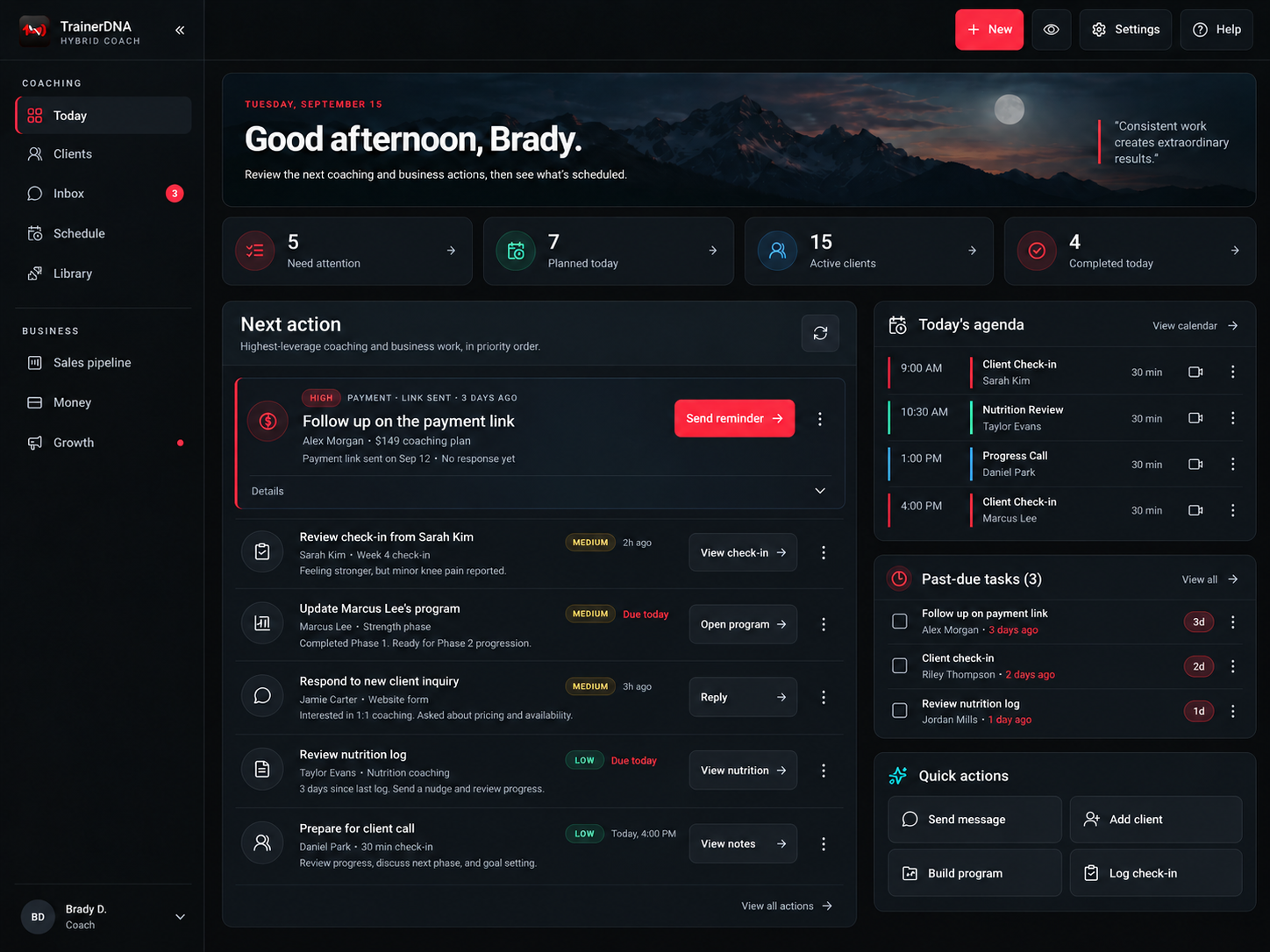
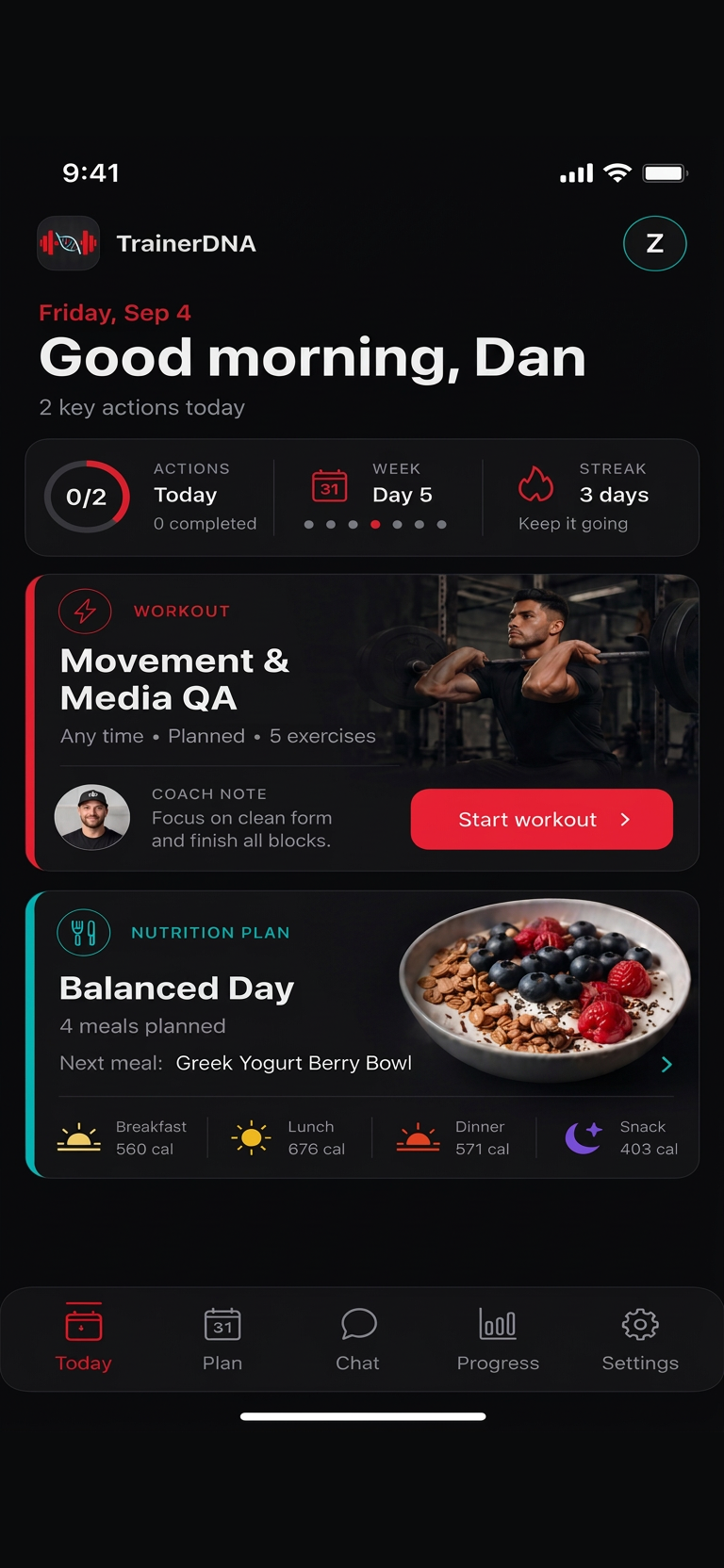
Coach workspace on the web. Client experience on mobile. One connected system.
TrainerDNA is an all-in-one coaching operating system for independent online and hybrid coaches. You get a full web workspace to run the business and deliver coaching. Your clients get a mobile experience that keeps them training, eating and checking in.
Bring payments, scheduling, communication, health data, and client workflows together through TrainerDNA — with permission-based connections you control.
TrainerDNA
Your coaching hub
TrainerDNA
Your coaching hub
Only tools marked Live are connectable today. Everything else shows where the ecosystem is heading.
Mobile access for iOS and Android. Coaches work from the web app, clients train from their phone.
Sync coaching calls and scheduled client touchpoints.
Keep payment status and revenue signals visible.
Connect Facebook and Instagram account signals.
Third-party product names and logos belong to their respective owners. Their appearance does not imply endorsement or partnership.
Coaching is a loop, not a checklist. TrainerDNA keeps every turn of that loop connected so nothing gets lost between apps, spreadsheets and chat threads.
Build programs, nutrition targets and habits, then assign them to the right clients.
Clients train, log meals and habits, and complete sessions in the mobile app.
Check-ins, progress photos, adherence and metrics land back in your workspace.
Update programming, nutrition and coaching notes, then push changes straight back out.
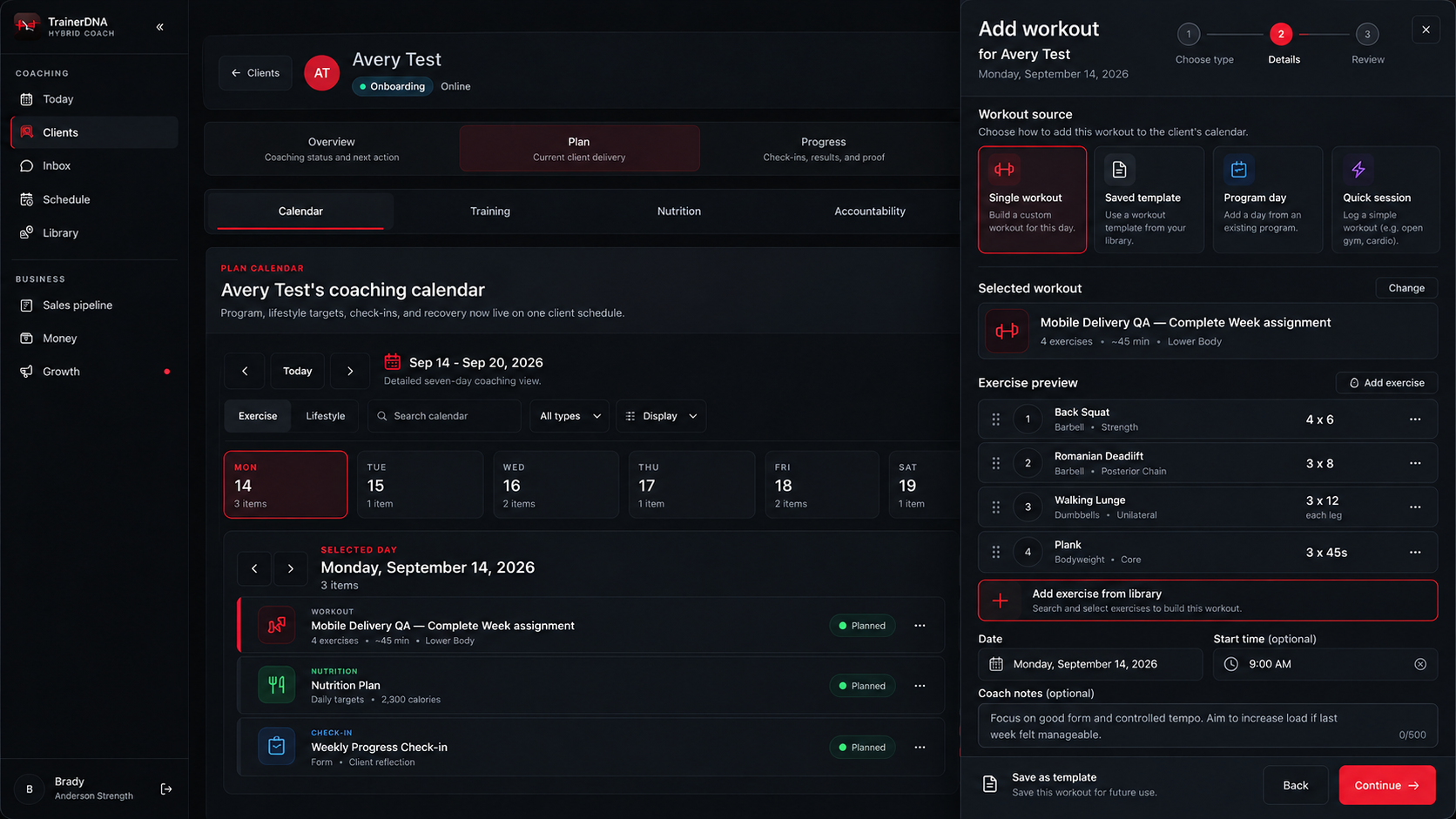
Everything a client needs to follow your coaching lives in one mobile experience, connected straight back to your workspace.
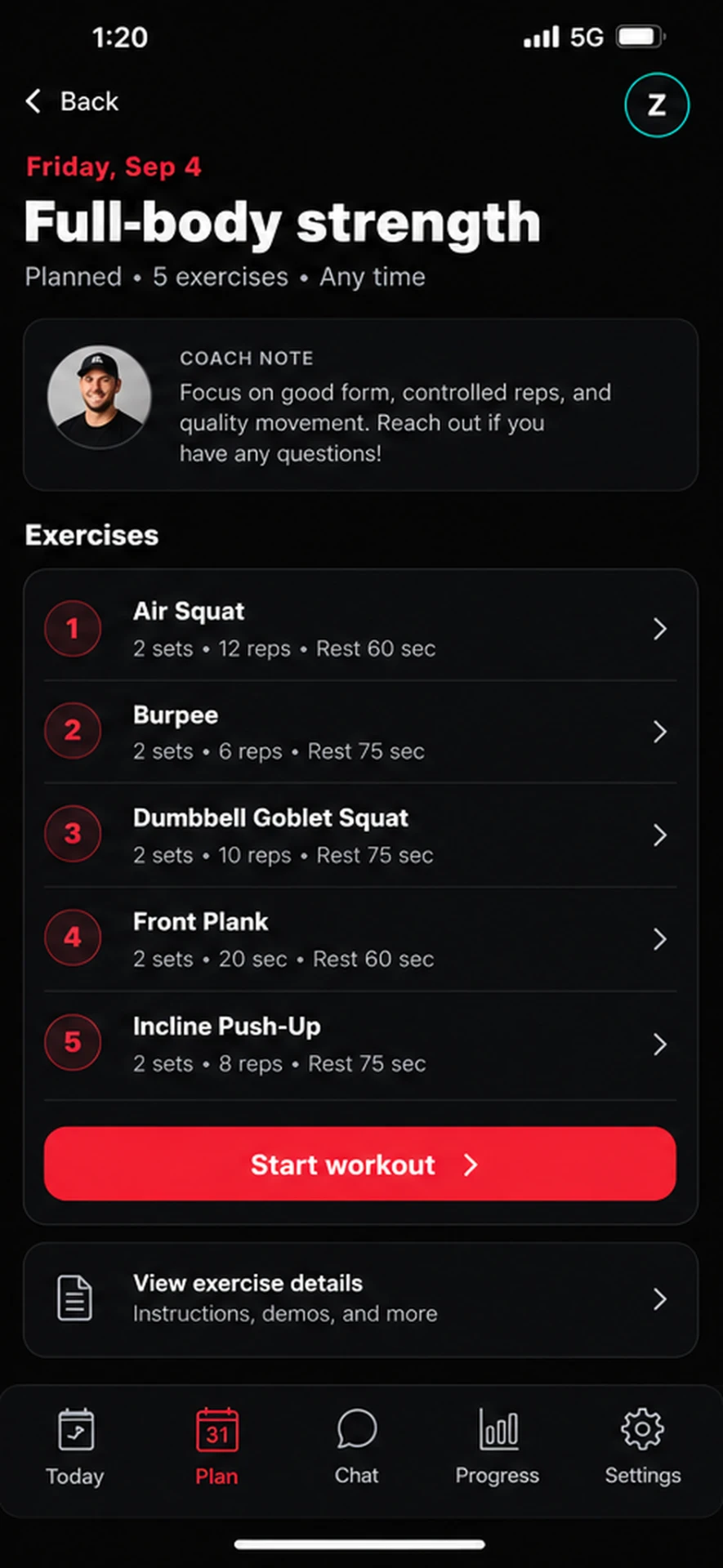
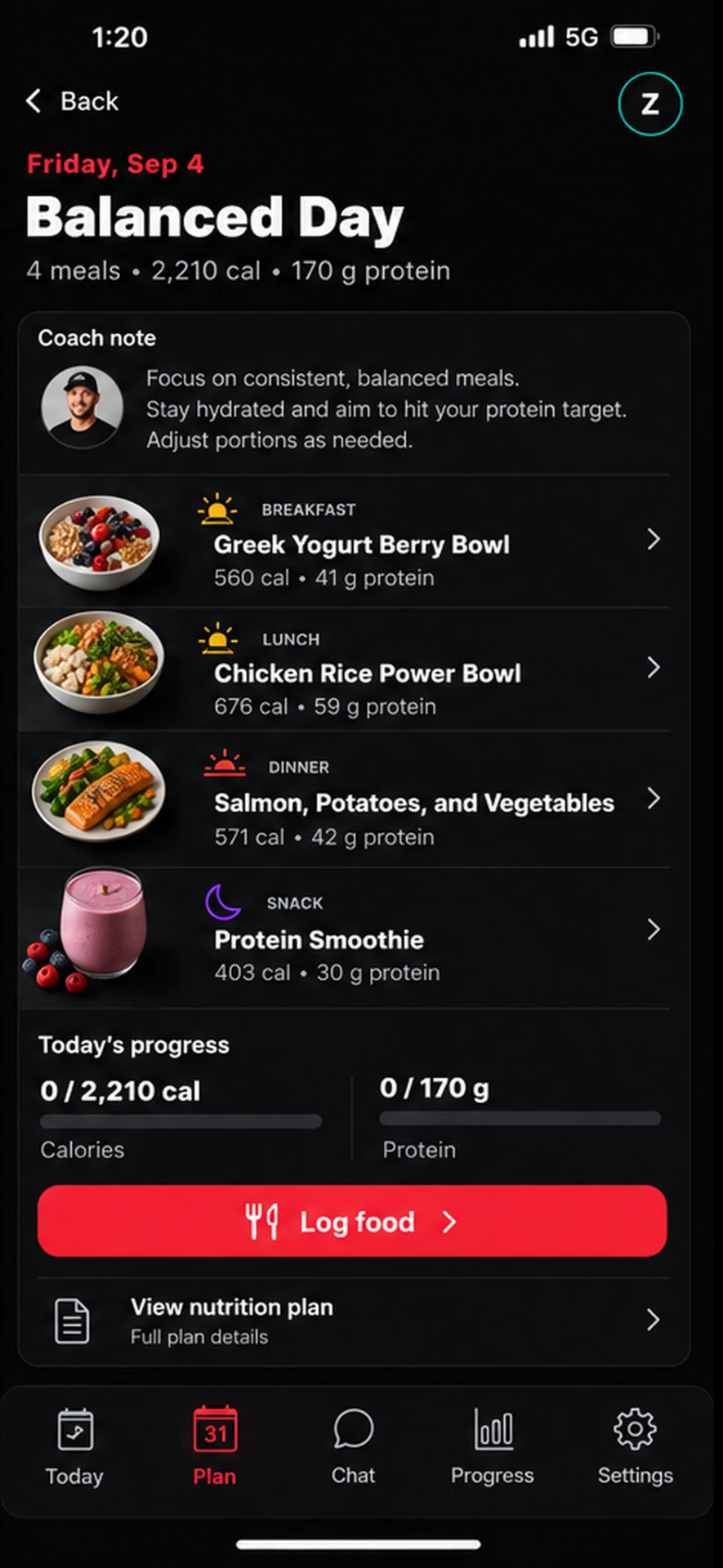
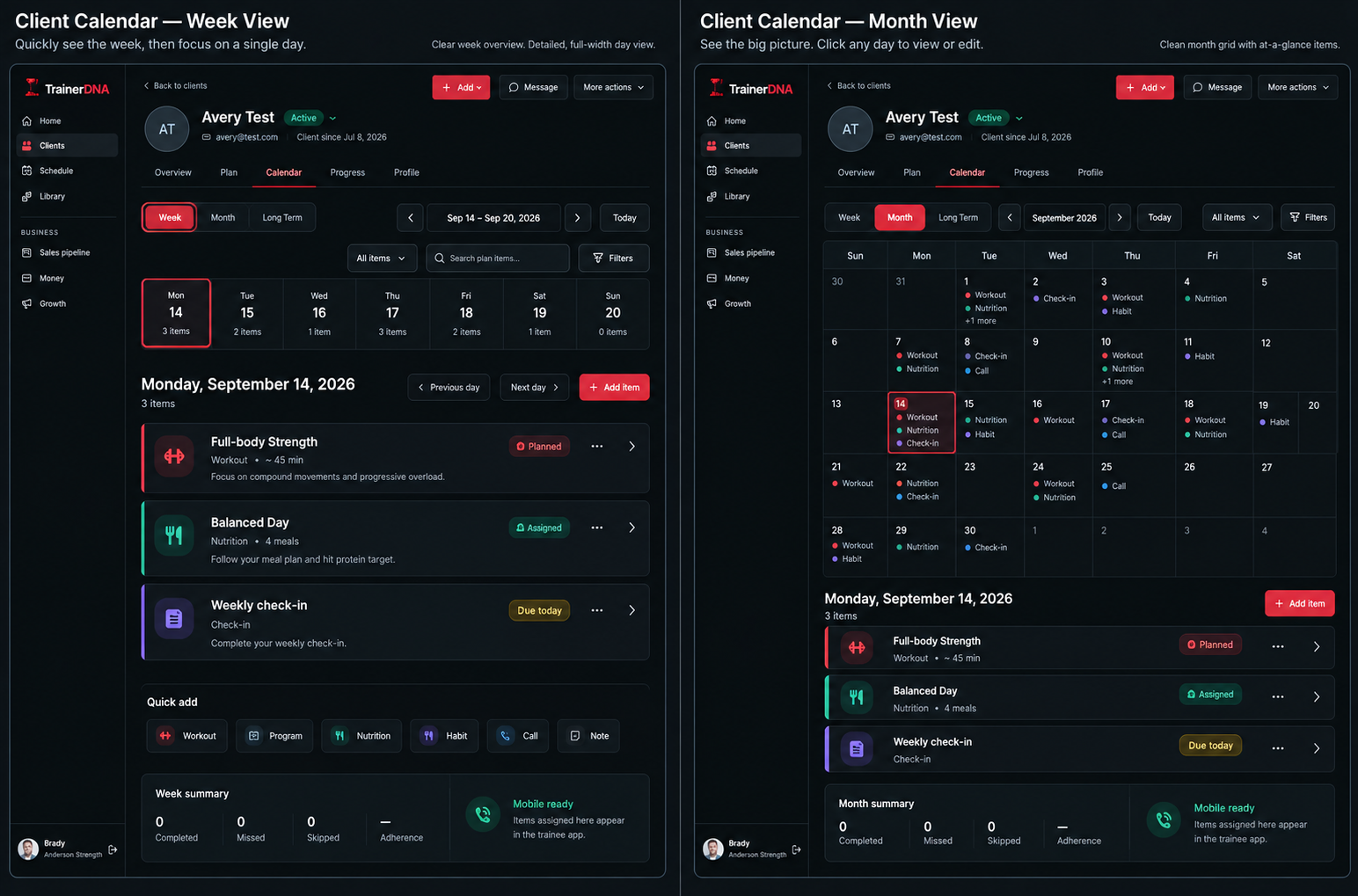
Build training and nutrition once, reuse it across clients, and adjust it per person as results come in.
Track subscriptions, one-off payments and outstanding balances alongside the clients they belong to.
Capture enquiries, move them through your pipeline and onboard new clients with a consistent flow.
Keep client conversations in one thread instead of scattered across DMs and email.
Collect progress results and permissioned testimonials you can reuse in your marketing.
Plan and organise the content that brings new coaching enquiries in.
Spot clients drifting on adherence or check-ins before they quietly cancel.
TrainerDNA should not require access to unrelated accounts or data sources. Use it with manual data first; connect services only when they help.
Before you connect a service, you see what information will be accessed and how it supports the product.
Supported connections can be removed from your TrainerDNA settings, and access can also be revoked from the provider.
You can request account and personal-data deletion using the process described on our Data Deletion page.
TrainerDNA lets coaches connect their own social, calendar, and payment accounts so they can see useful business signals inside a private workspace. Connections use provider authorization flows, and TrainerDNA only uses the data the coach authorizes for the features shown in the app.
Every plan includes the full TrainerDNA platform. Pick the tier that matches the number of active clients you coach, not which features you can unlock.
Controlled early access. No card required to request access. Plans below are indicative and confirmed when your access is approved — no account is created without approval.
All plans include the coach workspace, client management, workouts and programming, nutrition and habits, check-ins, scheduling and calls, messaging, payments, proof and content workflows, and client mobile app access. Usage limits may apply to AI generation and advanced automation.
Founding access
Approved early coaches can get an extended first month or a discounted founding rate in exchange for product feedback and founder-led onboarding.
TrainerDNA is being refined with a limited number of independent online and hybrid coaches who want one system for client delivery and the business around it. Access is currently granted by approval, early coaches get founder-led onboarding, and their feedback directly shapes the product.
We do not display testimonials, photographs, or client results without explicit permission.
TrainerDNA is an all-in-one coaching operating system for independent online and hybrid coaches. It combines client management, workouts and programming, nutrition, habits, check-ins, scheduling, messaging, payments and growth workflows in one platform, with a mobile experience for your clients.
Independent online and hybrid coaches who run their own client roster and want one system instead of a coaching app plus spreadsheets, calendars, chat threads and payment tools.
Yes. Clients get a mobile experience with today's workout, nutrition targets, habits, check-ins, progress tracking and messaging with you.
Yes. TrainerDNA is designed to run your full coaching workflow, but you can keep an existing delivery platform during a transition and use TrainerDNA for the rest of the business.
Not yet. TrainerDNA is in a controlled early-access stage, so access is granted by approval. Submit a request and we will review it and reach out with next steps. Submitting a request does not create an account, and no card is required to request access.
Pricing is based mainly on the number of active clients you coach, not on locking features behind tiers. Every plan includes the full platform; usage limits may apply to AI generation and advanced automation. Early-access pricing is confirmed when your access is approved.
We review requests in small groups so every approved coach gets direct support. If you are selected, you will receive instructions for setting up your TrainerDNA account, including your early-access terms.
Yes. Connections are optional and you choose what to connect. You can connect or disconnect Stripe, Google Calendar, and Meta accounts at any time from your TrainerDNA settings.
TrainerDNA only accesses information authorized through the services you choose to connect, plus the data you and your clients enter directly. The specific permissions and purpose are shown by the provider before each connection is approved.
Yes. You can request account and personal-data deletion at any time using the process described on our Data Deletion page.
No. TrainerDNA does not sell personal data. Full details are in our Privacy Policy, which is the canonical source.